

Originally posted by big_tiger
View Post
-
What's temp showing in the BIOS?
Saved and Texan by the Grace of God, Redneck by choice.Leave a comment:
-
Saved and Texan by the Grace of God, Redneck by choice.Leave a comment:
-
Check the temps w/Coretemp
Saved and Texan by the Grace of God, Redneck by choice.Leave a comment:
-
The weird thing is I run a stress test and the temp doesnt go up; stuck at 65*C. I used an app called HeavyLoad.Leave a comment:
-
They're surprisingly effective, I've built several systems w/them and have yet to be disappointed.Originally posted by racrguy View Post
That PC has a gts450 and gtx260 core 216, OC'd and loaded 100% as well. I'm using the Corsair H80i.Originally posted by CJ View Post

H80i review from bit-tech. http://www.bit-tech.net/hardware/coo...-h80i-review/1Last edited by Tx Redneck; 01-21-2013, 12:50 PM.Leave a comment:
-
Your load is at 29c? That system was -10 at idle and load at 10c, and that was 2 very hot gpus, mch, and ram. I thought you ran just water cooling?Leave a comment:
-
Damn, maybe I should get one of those sealed water cooling units. Mine is typically in the high 30's-mid 40's just browsing the web and whatnot.Leave a comment:
-
Apples/oranges, besides, that's a dual core w/no indication of load, whereas mine is an 8 core and @100% load. It idles in the low double/high single digits and the cooler isn't even on its highest setting.Originally posted by CJ View Post
Leave a comment:
-
You could try these from Microcenter and have them price match Newegg.

Leave a comment:
-
No I can see the fan; its spinning around 1800 RPM. Couldn't get it to spin any faster though...Leave a comment:

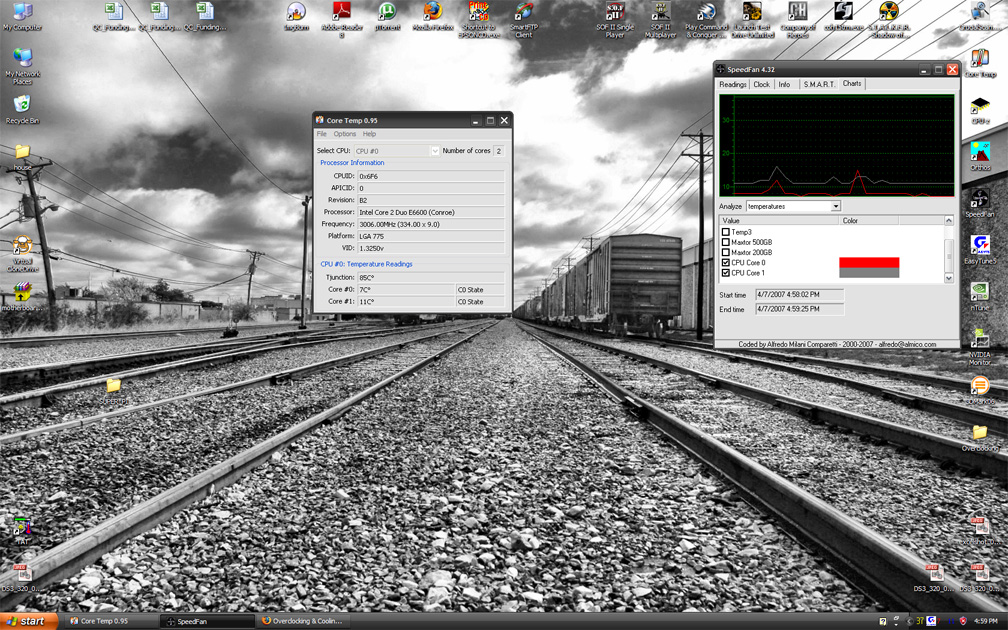
 That's an old computer of course.
Leave a comment: